Room Simulation
Room Simulation
Level: 4/10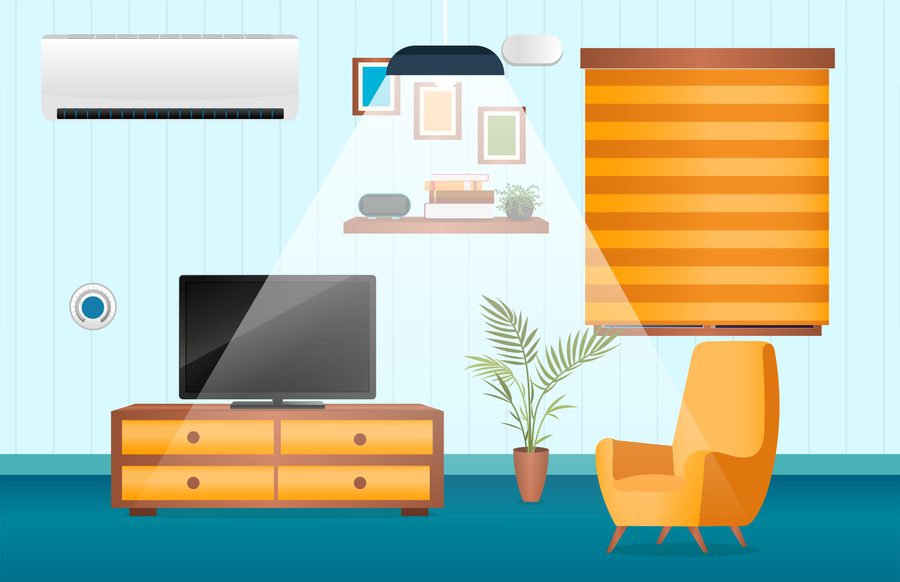
- Download and install UDUSimp. This simulation is a demo, no sign-in needed.
- Choose a workspace folder; the libraries and start code are downloaded into its
c_…/py_…folders. - Start the simulation, then write and run your code in the workspace.
Function List
| Function | Description |
|---|---|
sim_connect() |
Connect to Simulation |
sim_disconnect() |
Disconnect from Simulation |
ac(int onOff) |
Air Conditioner Control |
lamp(int onOff) |
Lamp Control |
curtain(int direction) |
Curtain Motor Control |
int t = read_temp() |
Read Temperature Sensor |
int l = read_lux() |
Read Light Sensor |
int a = read_ac() |
Read AC State |
int la = read_lamp() |
Read Lamp State |
int c = read_curtain() |
Read Curtain Motor State |
Purpose of the Simulation
Introductory programming education in languages such as C, C++, and Python is generally taught through console applications. As a result, the output of developed code is displayed only on the console. This prevents students from visualizing the program flow and fully understanding its behavior.
The purpose of this simulation is to provide an environment where students can see how their code actually works. To increase realism, sensors, motors, and indicator panels can each be controlled independently, and the output value of each sensor can be read.
After downloading and installing the UDUSimp program, you can run any simulation and start developing code using your preferred editor. Recommended editor: Visual Studio Code.
The difficulty level of the room simulation is rated 4 out of 10.
General
1 – Features
- Switchable Air Conditioner
- Switchable Lamp
- Up / Down Curtain Motor *
- Room Temperature Sensor *
- Outdoor Light (Lux) Sensor *
- AC and Lamp State Indicators *
- Curtain Motor Direction Indicator *
2 – Task and Definition
Examine smart room systems used in daily life and their operating logic. Develop the code required to control the room automatically based on data from the sensors.
Example scenarios:
1- Automatically turn on the AC when the room temperature exceeds 26°C
2- Automatically turn on the lamp when the outdoor light level drops below 100 lux
3- Move curtains up during daytime (1000 lux), and down at night (20 lux)
must be implemented.
Note: While reading sensor values, also monitor the AC and lamp state indicators to prevent the system from issuing duplicate commands.
Connect to Simulation
sim_connect()Establishes connection between the simulation and your code.
#include "room.h"
int main() {
    sim_connect();
    return 0;
}
from room import *

sim_connect()
Disconnect from Simulation
sim_disconnect()Terminates the connection between the simulation and your code.
#include "room.h"
int main() {
    sim_connect();
    sim_disconnect();
    return 0;
}
from room import *

sim_connect()
sim_disconnect()
Air Conditioner Control
ac(int onOff)Turns the room's air conditioner on or off.
1st param: AC_ON (1) = On, AC_OFF (0) = Off
Example:
ac(AC_ON) → AC turns on
ac(AC_OFF) → AC turns off
#include "room.h"
int main() {
    sim_connect();
    ac(AC_ON);  // klima ac
    ac(AC_OFF); // klima kapat
    return 0;
}
from room import *

sim_connect()
ac(AC_ON)   # klima ac
ac(AC_OFF)  # klima kapat
Lamp Control
lamp(int onOff)Turns the room's lamp on or off.
1st param: LAMP_ON (1) = On, LAMP_OFF (0) = Off
Example:
lamp(LAMP_ON) → lamp turns on
lamp(LAMP_OFF) → lamp turns off
#include "room.h"
int main() {
    sim_connect();
    lamp(LAMP_ON);  // lamba yak
    lamp(LAMP_OFF); // lamba sondur
    return 0;
}
from room import *

sim_connect()
lamp(LAMP_ON)   # lamba yak
lamp(LAMP_OFF)  # lamba sondur
Curtain Motor Control
curtain(int direction)Runs the curtain motor.
1st param:
CURTAIN_UP (1) = Move up
CURTAIN_DOWN (2) = Move down
CURTAIN_STOP (0) = Stop
Example:
curtain(CURTAIN_UP) → curtain moves up
curtain(CURTAIN_DOWN) → curtain moves down
curtain(CURTAIN_STOP) → curtain stops
#include "room.h"
int main() {
    sim_connect();
    curtain(CURTAIN_UP);   // yukari
    curtain(CURTAIN_DOWN); // asagi
    curtain(CURTAIN_STOP); // dur
    return 0;
}
from room import *

sim_connect()
curtain(CURTAIN_UP)    # yukari
curtain(CURTAIN_DOWN)  # asagi
curtain(CURTAIN_STOP)  # dur
Read Temperature Sensor
int t = read_temp()Reads the current room temperature.
Returned value is an integer in °C, between 12 and 45 (e.g. 24).
The temperature drops while the AC is on and rises while it is off.
Example:
int t = read_temp() → t = 24 (temperature is 24°C)
#include "room.h"
int main() {
    sim_connect();
    int t = read_temp();
    if(t > 26)
        ac(AC_ON);
    return 0;
}
from room import *

sim_connect()
t = read_temp()
if t > 26:
    ac(AC_ON)
Read Light Sensor
int l = read_lux()Reads the outdoor light level (lux).
Returned value is between 20 and 1000.
20 → dark
1000 → bright
Example:
int l = read_lux() → l = 850 (daylight)
#include "room.h"
int main() {
    sim_connect();
    int l = read_lux();
    if(l < 100)
        lamp(LAMP_ON);   // karanlik, lamba yak
    return 0;
}
from room import *

sim_connect()
l = read_lux()
if l < 100:
    lamp(LAMP_ON)   # karanlik, lamba yak
Read AC State
int a = read_ac()Reads the current state of the air conditioner.
Returns 1 → AC is on
Returns 0 → AC is off
#include "room.h"
int main() {
    sim_connect();
    int a = read_ac();
    if(a == 1)
        printf("Klima acik");
    return 0;
}
from room import *

sim_connect()
a = read_ac()
if a == 1:
    print("Klima acik")
Read Lamp State
int la = read_lamp()Reads the current state of the lamp.
Returns 1 → lamp is on
Returns 0 → lamp is off
#include "room.h"
int main() {
    sim_connect();
    int la = read_lamp();
    if(la == 1)
        printf("Lamba acik");
    return 0;
}
from room import *

sim_connect()
la = read_lamp()
if la == 1:
    print("Lamba acik")
Read Curtain Motor State
int c = read_curtain()Reads the current state of the curtain motor.
Returned value:
0 → motor stopped
1 → moving up
2 → moving down
#include "room.h"
int main() {
    sim_connect();
    int c = read_curtain();
    if(c == 0)
        printf("Perde durdu");
    return 0;
}
from room import *

sim_connect()
c = read_curtain()
if c == 0:
    print("Perde durdu")